
Generate 3 Personalized Sales Emails in 60 Seconds
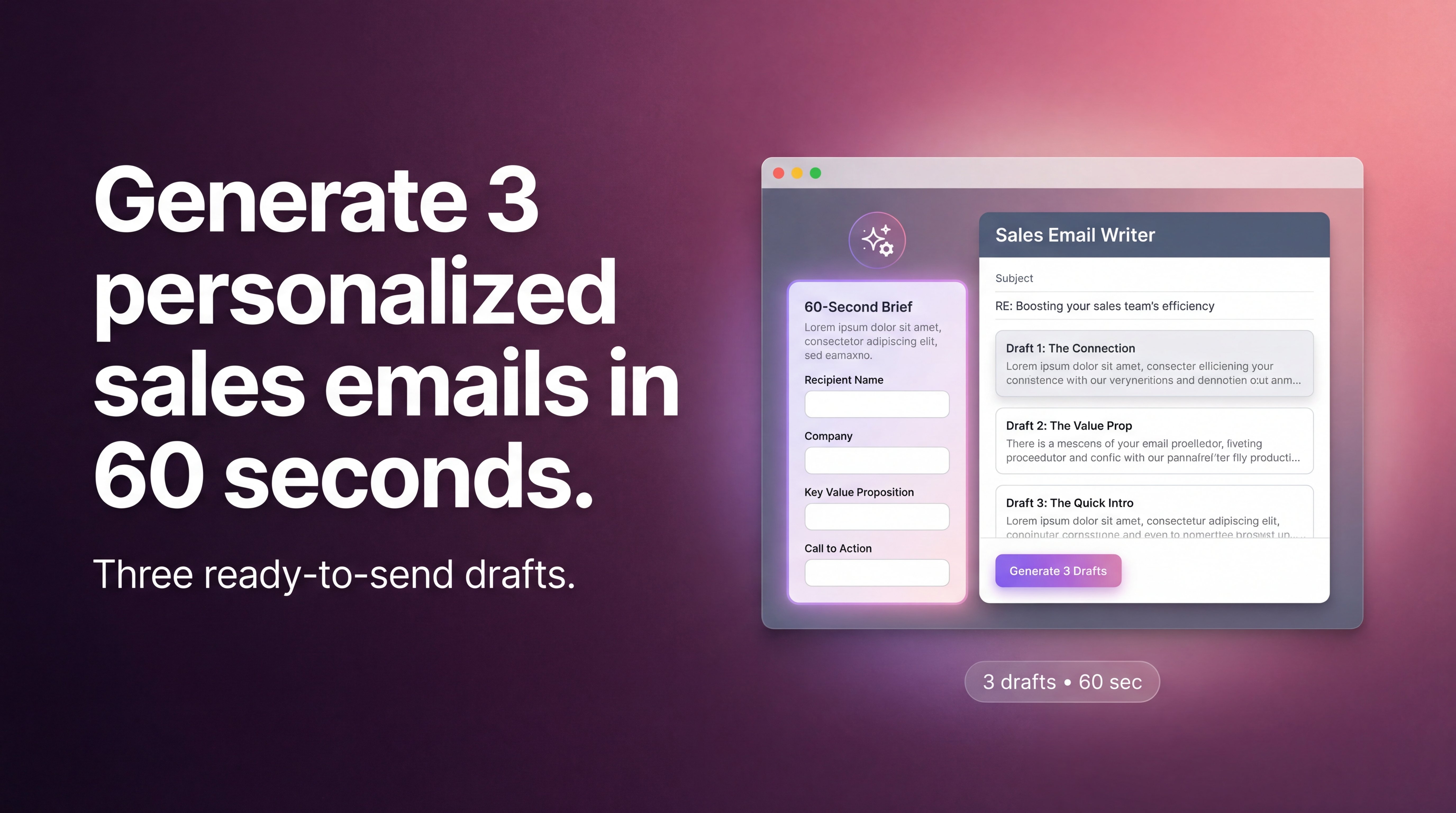
Build sales emails in 60 seconds that actually sound like you. Three variations, nine subject lines, any context, zero prompt engineering.

For years, I've been trying to build an AI agent that would actually be valuable to sales people. Honestly? It's been a grind.
The core challenge wasn't the technology. It was the fact that everyone wants something slightly different. No two sales reps use the same inputs. Some dump LinkedIn profiles. Some paste CRM notes. Some have call transcripts. Some just have random bullet points they jotted down between calls. There's no standard.
After talking to dozens of reps and watching them struggle with the myriad of AI tools on the market, I boiled it down to four non-negotiables:
- It needs to sound like YOU. Not like AI. Not like a template. Like you actually wrote it.
- It needs to handle any context you throw at it. Call transcripts, URLs, CRM notes, links to their website ... whatever you've got.
- It needs to know who YOU are. Your background, what you sell, so it can tie your value to their pain.
- It needs to be painstakingly simple. If it takes more than 60 seconds, sales reps won't use it. Period.
Most AI tools nail maybe one of these. So I built one that nails all four: The Sales Email Writer agent (you can try it now, it's free.) Check it out:
Four Problems, One Agent, 60 Seconds
Here's how the Sales Email Writer agent handles each requirement.
Requirement 1: Sound like YOU
The agent offers 11 distinct tone options: friendly, authoritative, consultative, casual, and more. Each one uses different linguistic patterns, sentence structures, and word choices. Or you can pull your saved writing style directly from your Agent.ai settings.
Your emails sound like you on your best day. Not like AI pretending to be you.
Requirement 2: Handle any context
Paste LinkedIn URLs, CRM notes, call transcripts, links to their website or business, or random bullets from your last conversation. The format doesn't matter. The agent synthesizes what's relevant automatically.
Dump your chaos. It works.
Requirement 3: Know who YOU are
This is the piece most AI tools miss entirely. They can write about the prospect, but they don't know anything about you.
The agent pulls your LinkedIn profile automatically. Now the AI actually understands who you are and what you're selling. It can accurately tie your value back to the prospect's specific pain points.
That's what makes the email actually relevant.
Requirement 4: Dead simple
No learning curve. No prompt engineering. No configuration.
Pick your email type, pick your tone, paste your context, hit generate. If a rep can't figure it out in 30 seconds, they won't use it. So I made sure they could.
What you get: Three distinct email variations, nine subject line options, each labeled by approach (direct ask, curiosity hook, value-led). Pick the best one or test all three.
The Tone Thing: Where Most AI Falls Apart
We've all gotten those AI-written cold emails. You can spot them instantly.
"I hope this email finds you well." Delete.
"I'd love to pick your brain." Delete.
"I noticed your company is doing great things." Delete.
The problem isn't that AI wrote it. The problem is that it sounds like AI wrote it. Your prospects can smell it. And if it doesn't sound like YOU wrote it, what's the point?
Here's how the tone system actually works. Those 11 distinct tone options I mentioned earlier? Each one comes with its own linguistic patterns, sentence structures, and word choices. It's not just swapping adjectives. It's a fundamentally different voice.
Before the agent writes anything, it generates detailed tone instructions based on your selection. These guide the entire email, from the opening line to the call-to-action.
Or, skip the options entirely and pull your saved writing style from Agent.ai. The agent learns how you actually write. Your phrases. Your rhythm. Your thing.
Three Emails, Nine Subject Lines, Zero Extra Work
Most AI tools give you one email. And if it's not quite right? You're back to tweaking your prompt. Regenerating. Fiddling with the output. You end up spending as much time iterating as you would've just writing the thing yourself.
That's not a solution. That's just moving the problem around.
The Sales Email Writer agent gives you three genuinely different variations every time. Not the same email reworded three times; three distinct approaches:
- Direct ask: Gets straight to the point and makes the request clear
- Curiosity hook: Opens a loop that makes them want to respond
- Value-led: Leads with what's in it for them
Each variation comes with three subject line options. That's nine combinations to choose from.
Pick the one that feels right for this specific prospect. Or send different variations to similar prospects and track what actually works. Built-in A/B testing without any extra setup.
Here's why this matters: automated, personalized emails have 332% higher click rates than standard campaigns. But only if each email is actually good. Three variations means you're testing your way to what works instead of guessing.
The Agent Knows Who YOU Are
Here's what I kept running into with other AI tools: They can write about the prospect, but they don't know anything about you.
You're sending emails as a faceless name. No context about your background, your experience, what you actually sell. That's a huge miss.
The Sales Email Writer pulls your LinkedIn profile automatically. Now the AI understands who you are and what you're selling. It can accurately tie your value back to the prospect's specific pain points.
The connection between what you offer and what they need? That's what makes emails convert. And that's what most AI tools completely miss. This one knows about you, so it can connect the dots between what you sell and what they need.
Here's How to Use the Sales Email Writer Agent
- Go to Agent.ai - Find the Sales Email Writer. No setup required, no API keys, no configuration.
- Pick your email type - Cold outreach, follow-up, re-engagement, objection response, meeting request, post-demo follow-up. This tells the agent what kind of email to write.
- Choose your tone - Pick from 11 options or use your saved writing style.
- Paste your prospect intel - Whatever you've got. LinkedIn profile, links to their website, CRM notes, call transcripts, random bullets. Messy is fine.
- Add specific asks (optional) - Product to highlight, specific CTA, objections to preempt. Skip this if you don't have anything specific.
- Generate - Three email variations, nine subject lines, labeled by approach.
- Send - Copy, paste into your email client, done.
That's it. Half these steps are optional or take two seconds. The whole thing takes about 60 seconds.
That's requirement #4 in action.
Go Try It. Break It. Let Me Know.
That's the Sales Email Writer.
60 seconds. Three variations. Emails that sound like you wrote them on your best day.
Four requirements: sound like you, handle any context, know who you are, be dead simple, finally solved in one tool.
Break it, test it, send me feedback. I want to know what's working and what's not.
This is about what actually helps you dominate your day-to-day.
Frequently Asked Questions
How is this different from ChatGPT?
It's built specifically for sales. 11 tone options, automatic LinkedIn integration, three variations every time. No prompt engineering required. The whole thing takes 60 seconds.
Will the emails actually sound like me?
Yes. Pick from 11 tone options or use your saved writing style. The agent generates detailed tone instructions before writing anything. Your prospects won't know AI helped.
What information do I need about my prospect?
Whatever you've got. LinkedIn profile, CRM notes, call transcripts, links to their website or business, random bullets. No formatting required—the agent figures out what's relevant.
Why three variations instead of one?
Options without extra work. Each variation takes a different angle, so you can pick the best fit for this specific prospect or A/B test all three to see what works.
How does the LinkedIn integration work?
It pulls your profile so the AI understands who you are and what you sell. That way it can accurately connect your value to the prospect's pain points, which is what makes the email actually convert.

.png)